Swift Native Unity Plugins
How to create a plugin for Unity that can be written in pure swift, no objective-c necessary
Project Setup
To ensure Swift files link correctly in Xcode, enable Swift support in one of the following ways:
If
Google Dependency Resolveris already installed (or you’re comfortable adding it), enable theEnable Swift Framework Support Workaroundoption.Alternatively, after the Xcode project is generated, manually create a new
swiftfile in the project. Xcode will prompt to configure Swift support; accept to enable it.
Script Setup
To call Swift directly from C#, pay attention to how functions are defined and exposed for interop.
The following examples show a simple structure that supports calling both static and instance methods. Apply your own judgement and best practices for production code.
Swift
import Foundation
//import any other frameworks here

public class ClassName: NSObject {

    public static let shared = ClassName()

    public func internalFunctionWithParameters(paramater: String) {
        //any swift code can be called here as we are fully within the swift ecosystem
    }

    public func internalFunctionWithCallback(callback: @escaping @convention(c) (Bool) -> Swift.Void) {
        //any swift code can be called here as we are fully within the swift ecosystem
        callback(true)
    }
}


// Functions that are called from c# need to have an `@_cdecl("NameOfFunction") on them to be exposed
// As long as the name matches the name of the c# declaration, they can be named as needed
@_cdecl("FunctionWithParameters") // The name here is the one used on the csharp side in order to reference the function
public func functionName(_ charArrayFromCSharp : UnsafePointer<CChar>) {
    //string from c# are incompatible with swift as is, so we need to convert them to swift strings before use
    let swiftString = String(cString: charArrayFromCSharp)
    ClassName.shared.internalFunctionWithParameters(paramter: swiftString)
}

// Callbacks are completely available to be used from swift, either with or without parameters
@_cdecl("FunctionWithACallback")
public func functionNameWithCallback(callback: @escaping @convention(c) (Bool) -> Swift.Void) {
    ClassName.shared.internalFunctionWithCallback(callback)
}
C#
using System;
using UnityEngine;
using System.Runtime.InteropServices;
using AOT;

public class ClassName : MonoBehaviour
{
   [DllImport("__Internal")]
   private static extern void FunctionWithParameters(string charArray);

   [DllImport("__Internal")]
   private static extern void FunctionWithACallback(Action<bool> callback);

   public void CallSwiftCode()
   {
       //Call function with parameters
       FunctionWithParameters("String To Swift");
       //Call function with a callback
       FunctionWithACallback(ResultHandler);
   }

   [MonoPInvokeCallback(typeof(Action<bool>))]
   private static void ResultHandler(bool result)
   {
       //Called from the swift callback
   }
}
Additional Notes
Ensure the Swift source is placed under a folder within
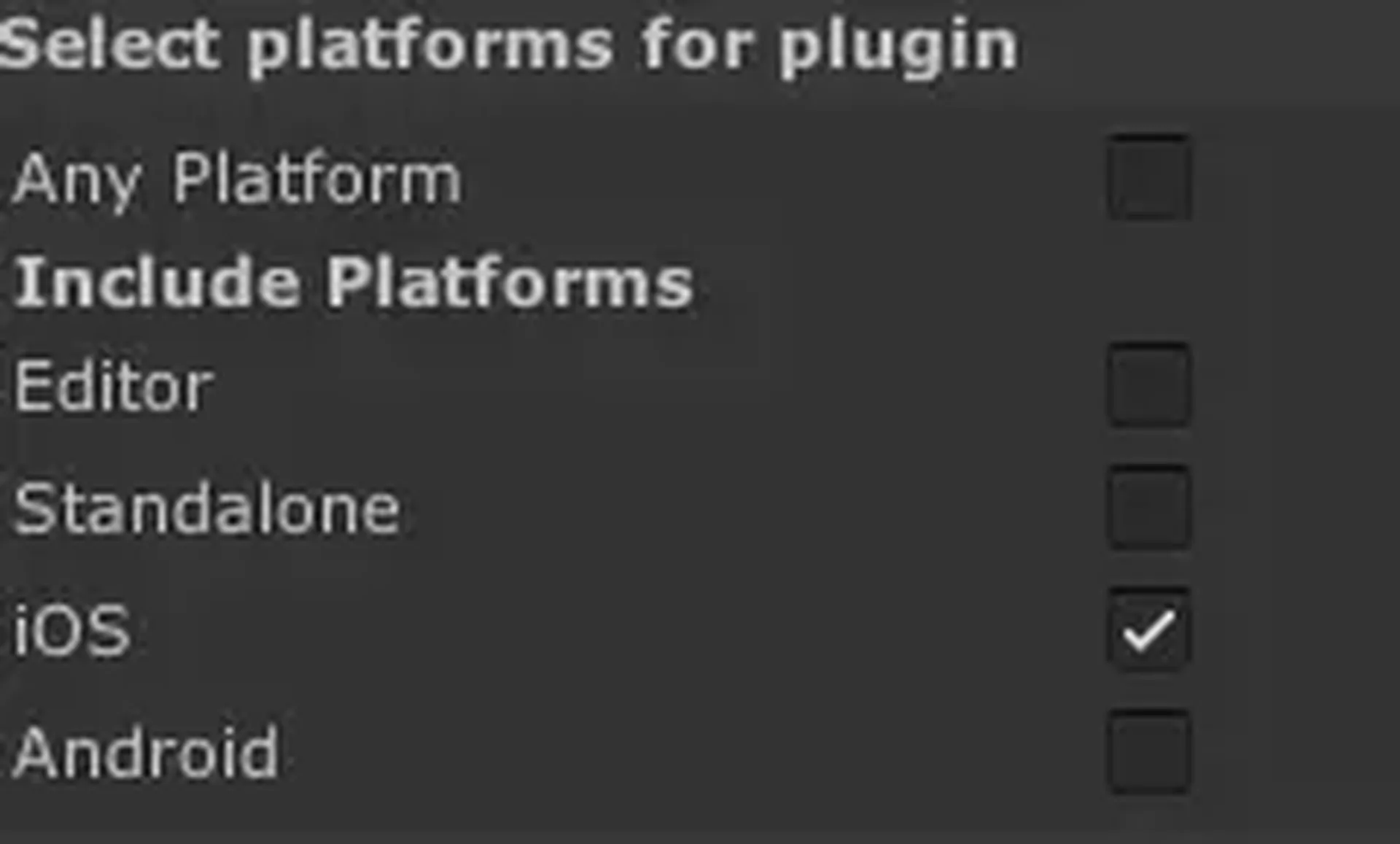
Pluginsand is marked as an iOS plugin.Keep function signatures stable and avoid name changes that could break bindings.
Prefer small, focused bridging surfaces to keep interop simple and maintainable.
Troubleshooting
- If Xcode reports missing Swift symbols, verify that Swift support was actually enabled in the generated project.
- If you see duplicate symbol or linkage errors, ensure exported function names are unique across files.
- Confirm the plugin import settings target iOS only, and that the files are included in the build.